


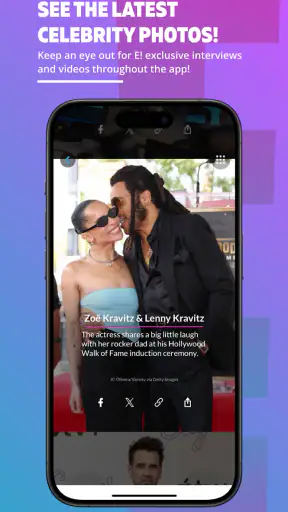
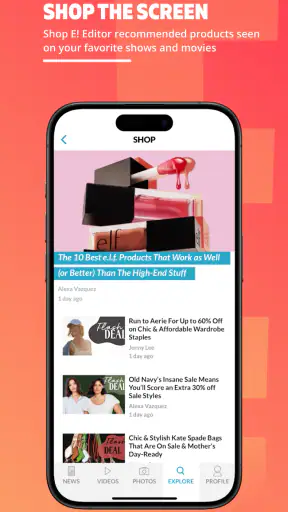
I like news apps that respect the few minutes I have between other tasks, and E! News is clearly built for that kind of visit. It focuses on entertainment and celebrity coverage rather than trying to become an all-purpose newspaper, so the experience feels more like checking a lively pop-culture desk than opening a broad daily news service. The app is free, aimed at a Teen audience, and developed by Versant Media, LLC.
After spending time with it, my impression is straightforward: this is a convenient choice for keeping up with entertainment stories when I want a focused feed and quick reading sessions. It is less suitable if I need deep investigative reporting, a wide mix of international subjects, or a quiet, highly customizable reading environment. The important question is not whether it contains news; it is whether its particular entertainment-first approach matches the way you follow news.
How E! News feels during everyday use
Quick checks work better than long reading sessions
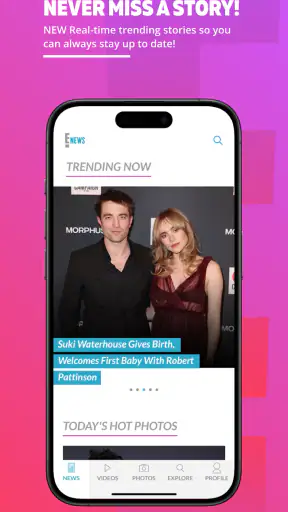
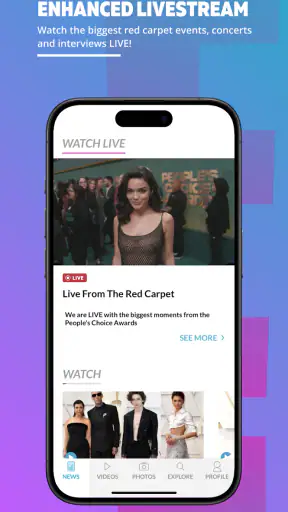
The strongest use case is the short check-in. I can imagine opening the app while waiting for coffee, during a commute break, or after seeing a headline mentioned in conversation. The E! News app has everything you need to know right when you need to know it, but I would interpret that promise sensibly: it is designed to bring current entertainment coverage close at hand, not to replace every other news source on your phone.
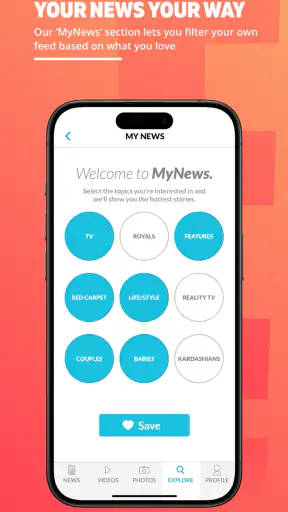
Its focused subject matter helps with speed of decision-making. When I open a general news application, I often have to move past politics, business, sports, weather, and local stories before reaching entertainment. Here, the purpose is immediately clearer. That makes the app useful for readers who already know what kind of update they want and do not want to build a custom news routine from several unrelated sections.
I also found that the app’s value depends on how often you check it. Occasional readers may enjoy catching up in one sitting, while frequent followers will get more from making it part of a small daily habit. A morning glance can show what is being discussed, and a later visit can help you revisit a story after more context has emerged. I would avoid treating every headline as a complete account, though. Entertainment news often moves quickly, and a short item may be better understood as a starting point for further reading.
What the app is good at compared with broader alternatives
Compared with a general news aggregator, E! News feels more intentional. A broad aggregator is better when I want to compare several publishers, balance entertainment with world news, or search across unrelated topics. This app makes more sense when entertainment is the main reason I opened my phone in the first place.
Compared with visiting a publication’s mobile website, an app can feel more natural for repeated checks because it keeps the destination in one place. That convenience matters when I am following a developing celebrity story or simply want a familiar source instead of searching the web again. The trade-off is that a dedicated app can narrow my perspective. I would still use other sources for major events, disputed claims, or stories where context matters more than immediacy.
The main advantage is focus, not breadth. That distinction is easy to miss when deciding whether to install it. If you want a single entertainment-oriented destination, the focus is helpful. If you want one application to organize your entire news life, the narrower editorial purpose may feel limiting.
How it behaves when I use it heavily
Light use is the natural fit, but there are realistic moments when I would read several stories in a row: during a major awards conversation, after a widely discussed interview, or when several related updates appear close together. In those situations, the app becomes more demanding simply because I am moving through more pages and spending longer inside it. The experience is likely to feel less effortless than a single headline check, especially on an older phone or a connection that is already busy.
I would approach heavy use with a simple workflow. First, scan the main feed and identify the two or three stories that actually interest me. Then read those fully instead of opening every headline at once. This reduces clutter and makes it easier to remember which details came from which article. It is a small habit, but it prevents an entertainment feed from turning into an endless sequence of half-read items.
Another useful trade-off is deciding when to use the app and when to use a browser. For a quick update, the dedicated app is more convenient. For comparing several outlets, checking a long timeline, or keeping multiple references open, a browser may be more practical. I would not force the app into a research role it was not designed to fill.
Stability and what recovery should look like
With any news app, reliability is not just about whether it opens. It is also about whether I can return to a story without losing my place, whether content becomes available consistently, and whether a temporary connection problem turns a quick visit into repeated refreshing. My overall expectation for this app is that it should be judged primarily as a frequently updated reader, so connection quality and the freshness of the feed naturally influence how dependable it feels.
If a page does not load properly, my first step would be to leave the article and reopen it rather than repeatedly tapping the same control. If the feed appears stale, I would close and relaunch the app, then check again later. Those are ordinary recovery steps, but they matter more in a news application than in a tool I use only once a week. A reader wants to get back to the headline quickly, not troubleshoot for several minutes.
The app’s current version is 7.3.0, which gives users a clear reference point when checking compatibility or deciding whether their installation is current. I would keep it updated through the normal app-store process, particularly if I rely on it for regular reading. Updates can affect stability and loading behavior, even though the exact experience will depend on the phone and network being used.
I also appreciate that the app has a substantial existing audience. It has passed one million installs, and its average rating is 4.3 from around seventeen thousand ratings. Those figures suggest that it is not an obscure experiment, but they should not be treated as a guarantee that every device will behave identically. Ratings summarize many different phones, habits, and expectations. I would use them as reassurance, not as a substitute for considering my own reading needs.
Resource demands and older devices
The app supports Android 8.0 and later, so anyone using an older Android release should check the operating system before planning around it. That requirement is especially relevant if the phone is several years old or has limited free storage. Compatibility is the first hurdle; after that, the practical experience can still vary according to the device’s memory, background activity, display size, and connection.
I would expect a news reader to be manageable for ordinary use, but image-heavy entertainment coverage can make a session feel busier than reading plain text. Large photos, multiple article openings, and repeated feed browsing can all make an older device feel less responsive over time. I would not keep many other demanding apps active while reading on a modest phone, and I would periodically clear out unused downloads or media elsewhere on the device if storage is tight.
There is also a battery trade-off that is easy to overlook. A short text check is one thing; scrolling through a long stream of visual stories is another. If I were traveling or trying to conserve power, I would use the app selectively rather than leave it open as a constant source of updates. That is not a criticism unique to this application, but it is relevant because entertainment news often encourages repeated browsing.
Screen size changes the experience too. On a compact phone, headlines may be easier to scan quickly, but longer articles can require more scrolling. On a larger display, images and article layouts may feel more comfortable, although the same larger presentation can make a feed feel more absorbing than intended. I would choose the device based on whether I want a quick glance or a relaxed reading session.
Who should install it, and who should skip it
I would recommend E! News to someone who regularly follows celebrity news, entertainment conversations, and the stories surrounding recognizable public figures. It is particularly appealing if you want a dedicated destination instead of mixing entertainment updates into a general-purpose feed. The free price also makes it easy to try without committing money first.
I would be more cautious about recommending it to someone who wants hard-news depth, local reporting, specialist analysis, or a broad international overview. A general news app, a newspaper application, or a carefully chosen set of publisher apps would be better for those needs. I would also suggest another option for readers who dislike entertainment-focused headlines or prefer to assemble their own sources manually.
The Teen content rating is worth considering for households where a younger person may use the phone. It provides a useful age signal, but parents should still make their own judgment about whether the subject matter and presentation suit a particular child. A rating is a starting point for that decision, not a replacement for supervision.
Small habits that make the app more useful
My first practical tip is to use it as a headline filter rather than an automatic authority. When a story matters to you, read beyond the first sentence and note whether the article separates confirmed information from speculation. For major claims, compare the wording with another reputable source. This approach protects the convenience of the app without asking it to carry the entire burden of verification.
My second tip is to create a deliberate stopping point. Entertainment feeds are easy to browse far longer than planned, particularly when several stories are connected. I would choose a small number of articles per visit, finish the ones that matter, and close the app. That makes the service feel like a useful news check instead of an unstructured time sink.
My third tip is to match the app to the moment. Use it for a fast update when you want entertainment coverage, switch to a broader source when you need context, and use a browser when comparing several reports. This simple division of labor is more effective than expecting one app to handle every kind of news task.
One further consideration is trust through consistency. If you return to the same source often, you become familiar with its style, story selection, and level of detail. I would pay attention to those patterns over time. The app’s value is not only whether a single article is interesting; it is whether the overall stream fits the kind of coverage I want to receive repeatedly.
My performance verdict
After weighing speed expectations, heavier browsing, recovery, and device constraints, I see E! News as a focused entertainment reader rather than a complete news replacement. Its biggest strength is the directness of its purpose: I open it because I want entertainment coverage, and that can be much faster than sorting through a mixed news feed.
The limitations are equally clear. Readers who need broad reporting, extensive comparison tools, or deep context may outgrow it quickly. Older phones and weak connections may also make longer, image-rich sessions less comfortable than short visits. Those are important trade-offs, but they do not undermine the app’s basic usefulness for the audience it targets.
The developer, Versant Media, LLC, has positioned this as a free News & Magazines app, and its established presence makes it an easy option to test. I would install it if entertainment news is a regular part of my day and I prefer a dedicated place to check it. I would skip it if I mainly want general news or if I already have a carefully organized set of sources that gives me better context.
My recommendation is positive, with a clear condition: choose it for convenient entertainment updates, not as your only source for everything happening in the world. Used that way, it can make quick reading simpler without pretending that speed and focus are the same as complete coverage.


